-
首页
-
PyQt 4.11.4
-
所有类
-
模块
QListView Class Reference
[
QtGui
module]
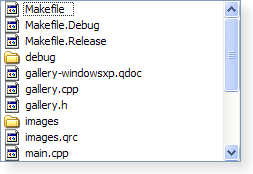
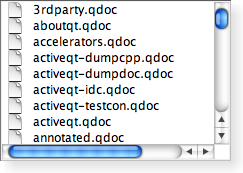
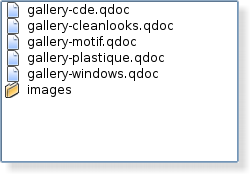
QListView 类为模型提供列表或图标视图。
更多...
继承
QAbstractItemView
.
Inherited by
QHelpIndexWidget
,
QListWidget
and
QUndoView
.
类型
方法
-
__init__
(
self
, QWidget
parent
= None)
-
int
batchSize
(
self
)
-
clearPropertyFlags
(
self
)
-
currentChanged
(
self
, QModelIndex
current
, QModelIndex
上一
)
-
dataChanged
(
self
, QModelIndex
topLeft
, QModelIndex
bottomRight
)
-
dragLeaveEvent
(
self
, QDragLeaveEvent
e
)
-
dragMoveEvent
(
self
, QDragMoveEvent
e
)
-
dropEvent
(
self
, QDropEvent
e
)
-
bool
event
(
self
, QEvent
e
)
-
Flow
flow
(
self
)
-
QSize
gridSize
(
self
)
-
int
horizontalOffset
(
self
)
-
QModelIndex
indexAt
(
self
, QPoint
p
)
-
bool
isIndexHidden
(
self
, QModelIndex
index
)
-
bool
isRowHidden
(
self
, int
row
)
-
bool
isSelectionRectVisible
(
self
)
-
bool
isWrapping
(
self
)
-
LayoutMode
layoutMode
(
self
)
-
int
modelColumn
(
self
)
-
mouseMoveEvent
(
self
, QMouseEvent
e
)
-
mouseReleaseEvent
(
self
, QMouseEvent
e
)
-
QModelIndex
moveCursor
(
self
, QAbstractItemView.CursorAction
cursorAction
, Qt.KeyboardModifiers
modifiers
)
-
Movement
movement
(
self
)
-
paintEvent
(
self
, QPaintEvent
e
)
-
QRect
rectForIndex
(
self
, QModelIndex
index
)
-
reset
(
self
)
-
resizeEvent
(
self
, QResizeEvent
e
)
-
ResizeMode
resizeMode
(
self
)
-
rowsAboutToBeRemoved
(
self
, QModelIndex
parent
, int
start
, int
end
)
-
rowsInserted
(
self
, QModelIndex
parent
, int
start
, int
end
)
-
scrollContentsBy
(
self
, int
dx
, int
dy
)
-
scrollTo
(
self
, QModelIndex
index
, QAbstractItemView.ScrollHint
hint
= QAbstractItemView.EnsureVisible)
-
list-of-QModelIndex
selectedIndexes
(
self
)
-
selectionChanged
(
self
, QItemSelection
selected
, QItemSelection
deselected
)
-
setBatchSize
(
self
, int
batchSize
)
-
setFlow
(
self
, Flow
flow
)
-
setGridSize
(
self
, QSize
size
)
-
setLayoutMode
(
self
, LayoutMode
mode
)
-
setModelColumn
(
self
, int
column
)
-
setMovement
(
self
, Movement
movement
)
-
setPositionForIndex
(
self
, QPoint
position
, QModelIndex
index
)
-
setResizeMode
(
self
, ResizeMode
mode
)
-
setRootIndex
(
self
, QModelIndex
index
)
-
setRowHidden
(
self
, int
row
, bool
hide
)
-
setSelection
(
self
, QRect
rect
, QItemSelectionModel.SelectionFlags
command
)
-
setSelectionRectVisible
(
self
, bool
show
)
-
setSpacing
(
self
, int
space
)
-
setUniformItemSizes
(
self
, bool
enable
)
-
setViewMode
(
self
, ViewMode
mode
)
-
setWordWrap
(
self
, bool
on
)
-
setWrapping
(
self
, bool
enable
)
-
int
spacing
(
self
)
-
startDrag
(
self
, Qt.DropActions
supportedActions
)
-
timerEvent
(
self
, QTimerEvent
e
)
-
bool
uniformItemSizes
(
self
)
-
updateGeometries
(
self
)
-
int
verticalOffset
(
self
)
-
ViewMode
viewMode
(
self
)
-
QStyleOptionViewItem
viewOptions
(
self
)
-
QRect
visualRect
(
self
, QModelIndex
index
)
-
QRegion
visualRegionForSelection
(
self
, QItemSelection
selection
)
-
bool
wordWrap
(
self
)
Qt Signals
详细描述
The QListView class provides a list or icon view onto a
model.
A QListView presents items stored in a model, either as a simple
non-hierarchical list, or as a collection of icons. This class is
used to provide lists and icon views that were previously provided
by the
QListBox
and
QIconView
classes, but using
the more flexible approach provided by Qt's model/view
architecture.
QListView 类是一种
模型/视图类
且属于 Qt 的
模型/视图框架
.
This view does not display horizontal or vertical headers; to
display a list of items with a horizontal header, use
QTreeView
代替。
QListView implements the interfaces defined by the
QAbstractItemView
class to allow it to
display data provided by models derived from the
QAbstractItemModel
类。
Items in a list view can be displayed using one of two view
modes: In
ListMode
,
items are displayed in the form of a simple list; in
IconMode
, the list view takes
the form of an
icon view
in which the items are displayed
with icons like files in a file manager. By default, the list view
是在
ListMode
. To
change the view mode, use the
setViewMode
() function, and to
determine the current view mode, use
viewMode
().
Items in these views are laid out in the direction specified by
the
flow
() of the list view.
The items may be fixed in place, or allowed to move, depending on
the view's
movement
()
状态。
If the items in the model cannot be completely laid out in the
direction of flow, they can be wrapped at the boundary of the view
widget; this depends on
isWrapping
(). This property is
useful when the items are being represented by an icon view.
resizeMode
()
and
layoutMode
()
govern how and when the items are laid out. Items are spaced
according to their
spacing
(), and can exist within a
notional grid of size specified by
gridSize
(). The items can be
rendered as large or small icons depending on their
iconSize
().
改善性能
It is possible to give the view hints about the data it is
handling in order to improve its performance when displaying large
numbers of items. One approach that can be taken for views that are
intended to display items with equal sizes is to set the
uniformItemSizes
property to true.
类型文档编制
QListView.Flow
|
常量
|
值
|
描述
|
|
QListView.LeftToRight
|
0
|
The items are laid out in the view from the
left to the right.
|
|
QListView.TopToBottom
|
1
|
The items are laid out in the view from the
top to the bottom.
|
QListView.LayoutMode
|
常量
|
值
|
描述
|
|
QListView.SinglePass
|
0
|
一次性布局所有项。
|
|
QListView.Batched
|
1
|
The items are laid out in batches of
batchSize
项。
|
另请参阅
batchSize
.
QListView.Movement
|
常量
|
值
|
描述
|
|
QListView.Static
|
0
|
The items cannot be moved by the user.
|
|
QListView.Free
|
1
|
The items can be moved freely by the
user.
|
|
QListView.Snap
|
2
|
The items snap to the specified grid when
moved; see
setGridSize
().
|
QListView.ResizeMode
|
常量
|
值
|
描述
|
|
QListView.Fixed
|
0
|
The items will only be laid out the first time
the view is shown.
|
|
QListView.Adjust
|
1
|
The items will be laid out every time the view
is resized.
|
QListView.ViewMode
|
常量
|
值
|
描述
|
|
QListView.ListMode
|
0
|
The items are laid out using
TopToBottom
flow, with Small size
and Static movement
|
|
QListView.IconMode
|
1
|
The items are laid out using
LeftToRight
flow, with Large size
and Free movement
|
方法文档编制
QListView.__init__ (
self
,
QWidget
parent
= None)
parent
argument, if not None, causes
self
to be owned by Qt instead of PyQt.
创建新的
QListView
采用
given
parent
to view a model. Use
setModel
() 去设置
model.
int QListView.batchSize (
self
)
QListView.clearPropertyFlags (
self
)
清零
QListView
-specific
property flags. See
viewMode
.
Properties inherited from
QAbstractItemView
are not covered by
the property flags. Specifically,
dragEnabled
and
acceptsDrops
are
computed by
QListView
when calling
setMovement
() 或
setViewMode
().
QListView.currentChanged (
self
,
QModelIndex
current
,
QModelIndex
上一
)
重实现自
QAbstractItemView.currentChanged
().
QListView.dataChanged (
self
,
QModelIndex
topLeft
,
QModelIndex
bottomRight
)
重实现自
QAbstractItemView.dataChanged
().
QListView.dragLeaveEvent (
self
,
QDragLeaveEvent
e
)
重实现自
QWidget.dragLeaveEvent
().
QListView.dragMoveEvent (
self
,
QDragMoveEvent
e
)
重实现自
QWidget.dragMoveEvent
().
QListView.dropEvent (
self
,
QDropEvent
e
)
重实现自
QWidget.dropEvent
().
bool QListView.event (
self
,
QEvent
e
)
重实现自
QObject.event
().
Flow
QListView.flow (
self
)
QSize
QListView.gridSize (
self
)
int QListView.horizontalOffset (
self
)
重实现自
QAbstractItemView.horizontalOffset
().
重实现自
QAbstractItemView.indexAt
().
bool QListView.isIndexHidden (
self
,
QModelIndex
index
)
重实现自
QAbstractItemView.isIndexHidden
().
bool QListView.isRowHidden (
self
, int
row
)
返回 true 若
row
被隐藏;否则返回
false.
bool QListView.isSelectionRectVisible (
self
)
bool QListView.isWrapping (
self
)
LayoutMode
QListView.layoutMode (
self
)
int QListView.modelColumn (
self
)
QListView.mouseMoveEvent (
self
,
QMouseEvent
e
)
重实现自
QWidget.mouseMoveEvent
().
QListView.mouseReleaseEvent (
self
,
QMouseEvent
e
)
重实现自
QWidget.mouseReleaseEvent
().
重实现自
QAbstractItemView.moveCursor
().
Movement
QListView.movement (
self
)
QListView.paintEvent (
self
,
QPaintEvent
e
)
重实现自
QWidget.paintEvent
().
QRect
QListView.rectForIndex (
self
,
QModelIndex
index
)
Returns the rectangle of the item at position
index
in
the model. The rectangle is in contents coordinates.
另请参阅
visualRect
().
QListView.reset (
self
)
QListView.resizeEvent (
self
,
QResizeEvent
e
)
重实现自
QWidget.resizeEvent
().
ResizeMode
QListView.resizeMode (
self
)
QListView.rowsAboutToBeRemoved (
self
,
QModelIndex
parent
, int
start
, int
end
)
重实现自
QAbstractItemView.rowsAboutToBeRemoved
().
QListView.rowsInserted (
self
,
QModelIndex
parent
, int
start
, int
end
)
重实现自
QAbstractItemView.rowsInserted
().
QListView.scrollContentsBy (
self
, int
dx
, int
dy
)
重实现自
QAbstractItemView.scrollTo
().
list-of-QModelIndex QListView.selectedIndexes (
self
)
重实现自
QAbstractItemView.selectedIndexes
().
QListView.selectionChanged (
self
,
QItemSelection
selected
,
QItemSelection
deselected
)
重实现自
QAbstractItemView.selectionChanged
().
QListView.setBatchSize (
self
, int
batchSize
)
QListView.setFlow (
self
,
Flow
flow
)
QListView.setGridSize (
self
,
QSize
size
)
QListView.setLayoutMode (
self
,
LayoutMode
mode
)
QListView.setModelColumn (
self
, int
column
)
QListView.setMovement (
self
,
Movement
movement
)
QListView.setPositionForIndex (
self
,
QPoint
position
,
QModelIndex
index
)
Sets the contents position of the item at
index
在
model to the given
position
. If the list view's movement
mode is Static or its view mode is
ListView
, this function will have no
效果。
该函数在 Qt 4.1 引入。
QListView.setResizeMode (
self
,
ResizeMode
mode
)
QListView.setRootIndex (
self
,
QModelIndex
index
)
QListView.setRowHidden (
self
, int
row
, bool
hide
)
若
hide
is true, the given
row
will be hidden;
otherwise the
row
will be shown.
另请参阅
isRowHidden
().
重实现自
QAbstractItemView.setSelection
().
QListView.setSelectionRectVisible (
self
, bool
show
)
QListView.setSpacing (
self
, int
space
)
QListView.setUniformItemSizes (
self
, bool
enable
)
QListView.setViewMode (
self
,
ViewMode
mode
)
QListView.setWordWrap (
self
, bool
on
)
QListView.setWrapping (
self
, bool
enable
)
int QListView.spacing (
self
)
QListView.startDrag (
self
,
Qt.DropActions
supportedActions
)
重实现自
QAbstractItemView.startDrag
().
QListView.timerEvent (
self
,
QTimerEvent
e
)
重实现自
QObject.timerEvent
().
bool QListView.uniformItemSizes (
self
)
QListView.updateGeometries (
self
)
重实现自
QAbstractItemView.updateGeometries
().
int QListView.verticalOffset (
self
)
重实现自
QAbstractItemView.verticalOffset
().
ViewMode
QListView.viewMode (
self
)
重实现自
QAbstractItemView.viewOptions
().
QRect
QListView.visualRect (
self
,
QModelIndex
index
)
重实现自
QAbstractItemView.visualRect
().
QRegion
QListView.visualRegionForSelection (
self
,
QItemSelection
selection
)
重实现自
QAbstractItemView.visualRegionForSelection
().
Since 4.7, the returned region only contains rectangles
intersecting (or included in) the viewport.
bool QListView.wordWrap (
self
)
Qt Signal Documentation
void indexesMoved (const QModelIndexList&)
This is the default overload of this signal.
此信号被发射当指定
indexes
are
moved in the view.
该函数在 Qt 4.2 引入。
-
首页
-
PyQt 4.11.4
-
文档编制