The QWorkspace widget provides a workspace window that can be used in an MDI application. 更多...
继承 QWidget .
The QWorkspace widget provides a workspace window that can be used in an MDI application.
This class is deprecated. Use QMdiArea 代替。
Multiple Document Interface (MDI) applications are typically composed of a main window containing a menu bar, a toolbar, and a central QWorkspace widget. The workspace itself is used to display a number of child windows, each of which is a widget.
The workspace itself is an ordinary Qt widget. It has a standard constructor that takes a parent widget. Workspaces can be placed in any layout, but are typically given as the central widget in a QMainWindow :
 MainWindow.MainWindow()
 {
     workspace = new QWorkspace;
     setCentralWidget(workspace);
     ...
 }
Child windows (MDI windows) are standard Qt widgets that are inserted into the workspace with addWindow (). As with top-level widgets, you can call functions such as show (), hide (), showMaximized (),和 setWindowTitle () on a child window to change its appearance within the workspace. You can also provide widget flags to determine the layout of the decoration or the behavior of the widget itself.
To change or retrieve the geometry of a child window, you must operate on its parentWidget ()。 parentWidget () provides access to the decorated frame that contains the child window widget. When a child window is maximised, its decorated frame is hidden. If the top-level widget contains a menu bar, it will display the maximised window's operations menu to the left of the menu entries, and the window's controls to the right.
A child window becomes active when it gets the keyboard focus, or when setFocus () 被调用。 The user can activate a window by moving focus in the usual ways, for example by clicking a window or by pressing Tab. The workspace emits a signal windowActivated () when the active window changes, and the function activeWindow () returns a pointer to the active child window, or 0 if no window is active.
The convenience function windowList () returns a list of all child windows. This information could be used in a popup menu containing a list of windows, for example. This feature is also available as part of the Window Menu Solution.
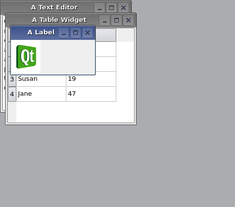
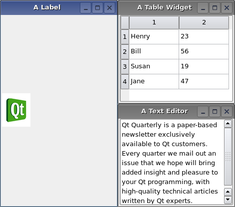
QWorkspace provides two built-in layout strategies for child windows: cascade () 和 tile (). Both are slots so you can easily connect menu entries to them.
|
|
If you want your users to be able to work with child windows larger than the visible workspace area, set the scrollBarsEnabled property to true.
Specifies the order in which child windows are returned from windowList ().
| 常量 | 值 | 描述 |
|---|---|---|
| QWorkspace.CreationOrder | 0 | The windows are returned in the order of their creation |
| QWorkspace.StackingOrder | 1 | The windows are returned in the order of their stacking |
parent argument, if not None, causes self to be owned by Qt instead of PyQt.
Constructs a workspace with the given parent .
This method is also a Qt slot with the C++ signature void activateNextWindow() .
Gives the input focus to the next window in the list of child windows.
另请参阅 activatePreviousWindow ().
This method is also a Qt slot with the C++ signature void activatePreviousWindow() .
Gives the input focus to the previous window in the list of child windows.
另请参阅 activateNextWindow ().
Returns a pointer to the widget corresponding to the active child window, or 0 if no window is active.
另请参阅 setActiveWindow ().
w argument has it's ownership transferred to Qt.
添加 Widget w as new sub window to the workspace. If flags are non-zero, they will override the flags set on the 小部件。
Returns the widget used for the window frame.
To remove the widget w from the workspace, simply call setParent () with the new parent (or 0 to make it a stand-alone window).
This method is also a Qt slot with the C++ signature void arrangeIcons() .
Arranges all iconified windows at the bottom of the workspace.
This method is also a Qt slot with the C++ signature void cascade() .
Arranges all the child windows in a cascade pattern.
另请参阅 tile () 和 arrangeIcons ().
重实现自 QWidget.changeEvent ().
重实现自 QObject.childEvent ().
This method is also a Qt slot with the C++ signature void closeActiveWindow() .
Closes the child window that is currently active.
另请参阅 closeAllWindows ().
This method is also a Qt slot with the C++ signature void closeAllWindows() .
Closes all child windows.
If any child window fails to accept the close event, the remaining windows will remain open.
另请参阅 closeActiveWindow ().
重实现自 QObject.event ().
重实现自 QObject.eventFilter ().
重实现自 QWidget.hideEvent ().
重实现自 QWidget.paintEvent ().
重实现自 QWidget.resizeEvent ().
This method is also a Qt slot with the C++ signature void setActiveWindow(QWidget*) .
Makes the child window that contains w the active child 窗口。
另请参阅 activeWindow ().
重实现自 QWidget.showEvent ().
重实现自 QWidget.sizeHint ().
This method is also a Qt slot with the C++ signature void tile() .
Arranges all child windows in a tile pattern.
另请参阅 cascade () and arrangeIcons ().
重实现自 QWidget.wheelEvent ().
Returns a list of all visible or minimized child windows. If order is CreationOrder (默认), the windows are listed in the order in which they were inserted into the workspace. If order is StackingOrder , the windows are listed in their stacking order, with the topmost window as the last item in the list.
This is the default overload of this signal.
This signal is emitted when the child window w becomes active. Note that w can be 0, and that more than one signal may be emitted for a single activation event.
另请参阅 activeWindow () 和 windowList ().
