The QGraphicsLineItem class provides a line item that you can add to a QGraphicsScene . 更多...
继承 QGraphicsItem .
The QGraphicsLineItem class provides a line item that you can add to a QGraphicsScene .
要设置项的线条,传递 QLineF 给 QGraphicsLineItem 的构造函数,或调用 setLine () 函数。 line () 函数返回 the current line. By default the line is black with a width of 0, but you can change this by calling setPen ().
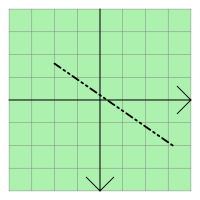
QGraphicsLineItem uses the line and the pen width to provide a reasonable implementation of boundingRect (), shape (),和 contains ()。 paint () function draws the line using the item's associated pen.
parent argument, if not None, causes self to be owned by Qt instead of PyQt.
scene argument, if not None, causes self to be owned by Qt instead of PyQt.
构造 QGraphicsLineItem . parent is passed to QGraphicsItem 's 构造函数。
另请参阅 QGraphicsScene.addItem ().
parent argument, if not None, causes self to be owned by Qt instead of PyQt.
scene argument, if not None, causes self to be owned by Qt instead of PyQt.
构造 QGraphicsLineItem ,使用 line 作为默认线条。 parent 会被传递给 QGraphicsItem 的构造函数。
另请参阅 QGraphicsScene.addItem ().
parent argument, if not None, causes self to be owned by Qt instead of PyQt.
scene argument, if not None, causes self to be owned by Qt instead of PyQt.
构造 QGraphicsLineItem , using the line between ( x1 , y1 ) 和 ( x2 , y2 ) as the default line. parent 会被传递给 QGraphicsItem 的构造函数。
另请参阅 QGraphicsScene.addItem ().
重实现自 QGraphicsItem.boundingRect ().
重实现自 QGraphicsItem.contains ().
重实现自 QGraphicsItem.isObscuredBy ().
Returns the item's line, or a null line if no line has been set.
另请参阅 setLine ().
重实现自 QGraphicsItem.opaqueArea ().
重实现自 QGraphicsItem.paint ().
Returns the item's pen, or a black solid 0-width pen if no pen has been set.
另请参阅 setPen ().
将项的线条设为给定 line .
另请参阅 line ().
这是重载函数。
Sets the item's line to be the line between ( x1 , y1 ) 和 ( x2 , y2 ).
这如同调用 setLine(QLineF(x1, y1, x2, y2)) .
将项的钢笔设为 pen . If no pen is set, the line will be painted using a black solid 0-width pen.
另请参阅 pen ().
重实现自 QGraphicsItem.shape ().
重实现自 QGraphicsItem.type ().
